 eClass and Canvas Support
Knowledgebase: Learning Environment Tools > YuJa
|
How to check your YuJa storage quota
Last modified on 23 July 2026 04:17 PM
|
|
|
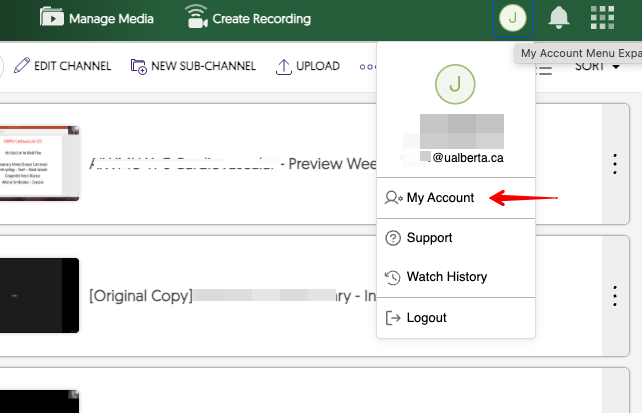
To check your YuJa storage quota, click the drop-down menu for your profile on the upper-right and click on My Account:
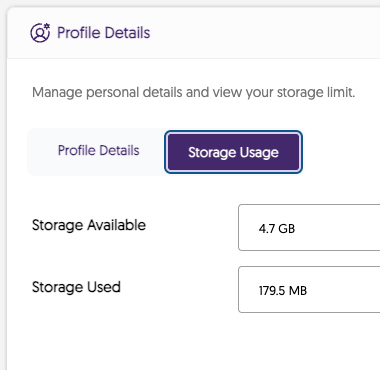
In your Profile Details, click on the Storage Usage tab to view your Storage Available and Storage Used amounts:
Storage Quota Known Issue: YuJa resolved an issue in Summer 2025 where transferred videos continued to count toward the original owner's storage quota. Please contact YuJa Support or the eClass Team if this issue still affects you. | |
|
|
Comments (0)